E-Paper Template Design — Newspaper Maker
FREE TOOL
Design Tool
·
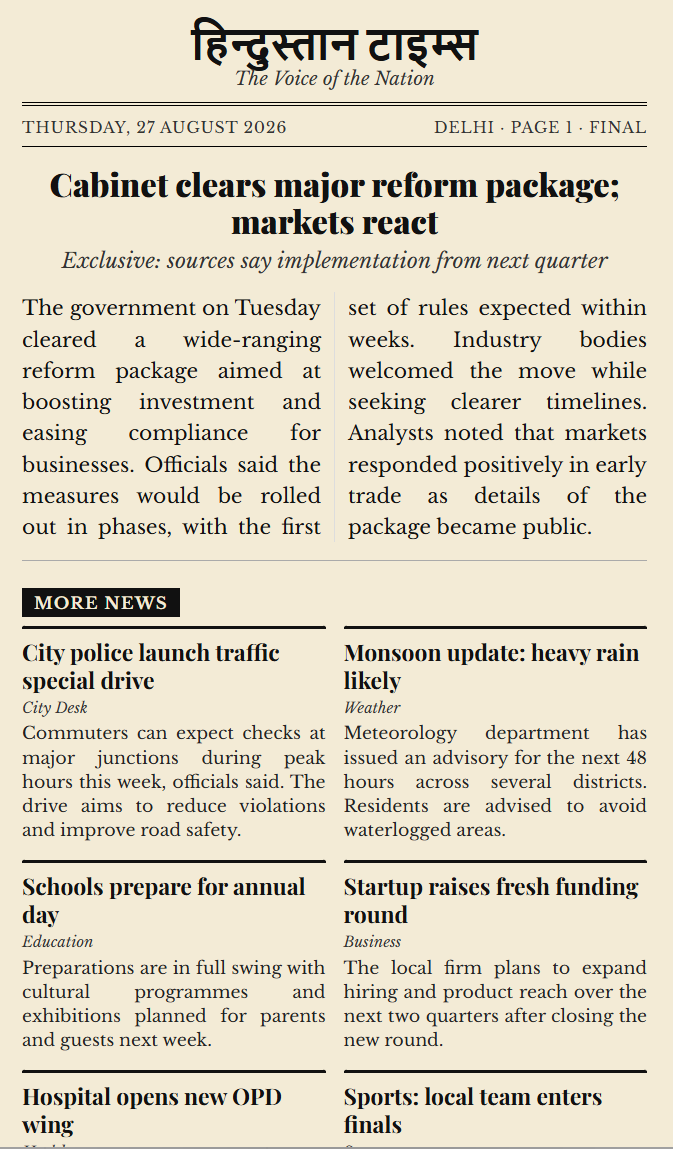
E-Paper Template Design lets you build a Hindustan-style newspaper page in the browser. Add a masthead, lead story, multiple news items, drag the main image, then export a high-quality PDF or PNG.
What you can do
- Set newspaper name, tagline, date and edition
- Write a big lead headline with image
- Drag the lead image left, right, up or down
- Text wraps around the image like a real paper
- Add many news stories on one page
- Add clickable links that work in the PDF
- Download HQ page-wise PDF (Page 1, 2, 3…)
- Download PNG or print
How to use
- Download and open the HTML file in Chrome or Edge
- Fill masthead, lead story and other news from the left panel
- Upload or paste the lead image, then drag it into position
- Add related links if needed
- Click Download PDF (HQ) or Download PNG
Features
- Newspaper paper colour on every PDF page (no white corners)
- Continued on next page / from previous page
- Press-style colour dots at the bottom
- No signup, works offline after download
- Completely free
Completely free · No signup
⬇️ Download E-Paper Template Design